Show Control Reimagined

CueDirector was built for schools and community theatre — design lighting, manage cues, and coordinate audio and video, all from one application, with no technical skills required.

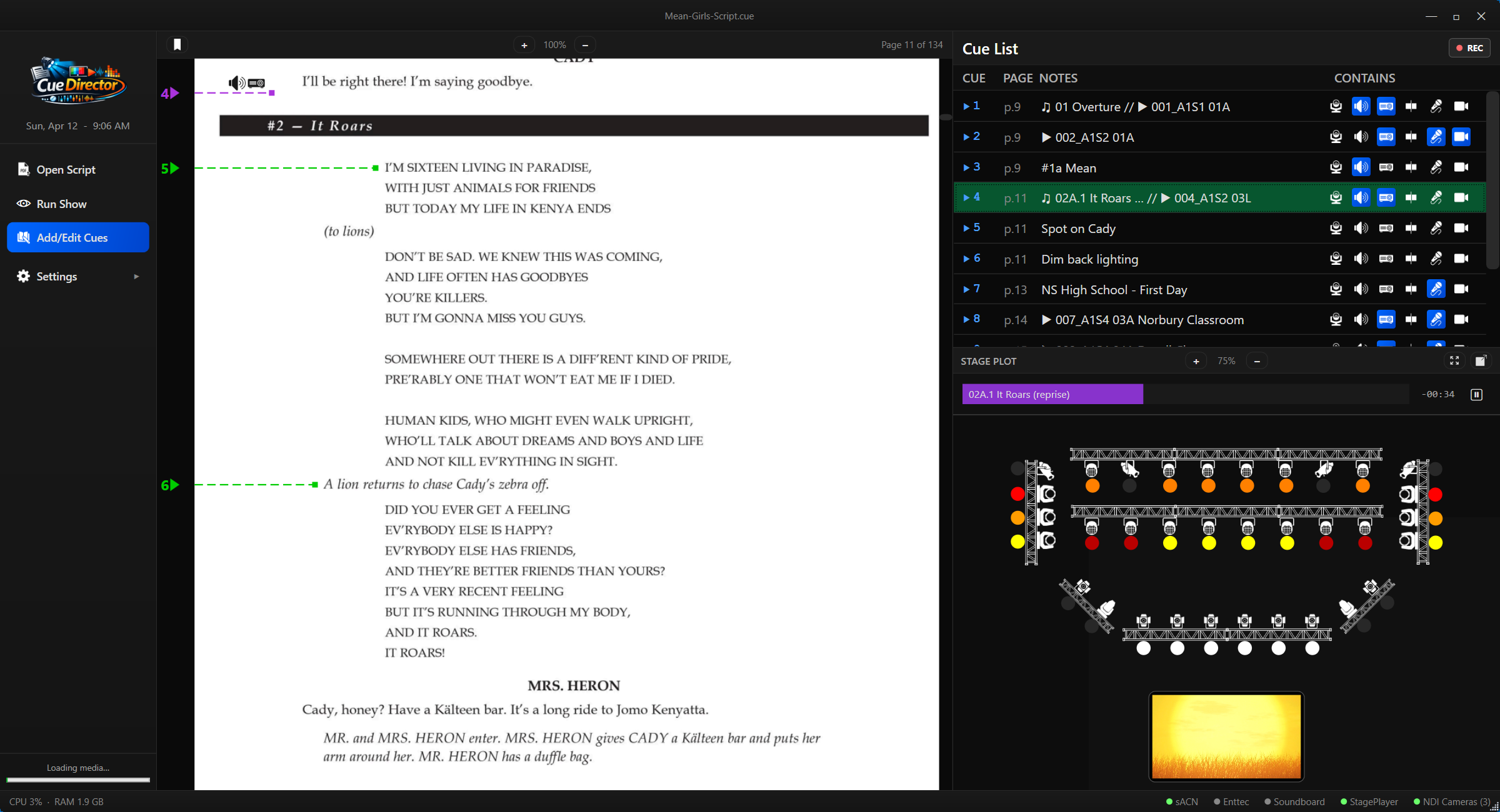
CueDirector Interface
Core Features

Operate the whole production from one beautifully controlled workspace.

Script View

Innovative Script View

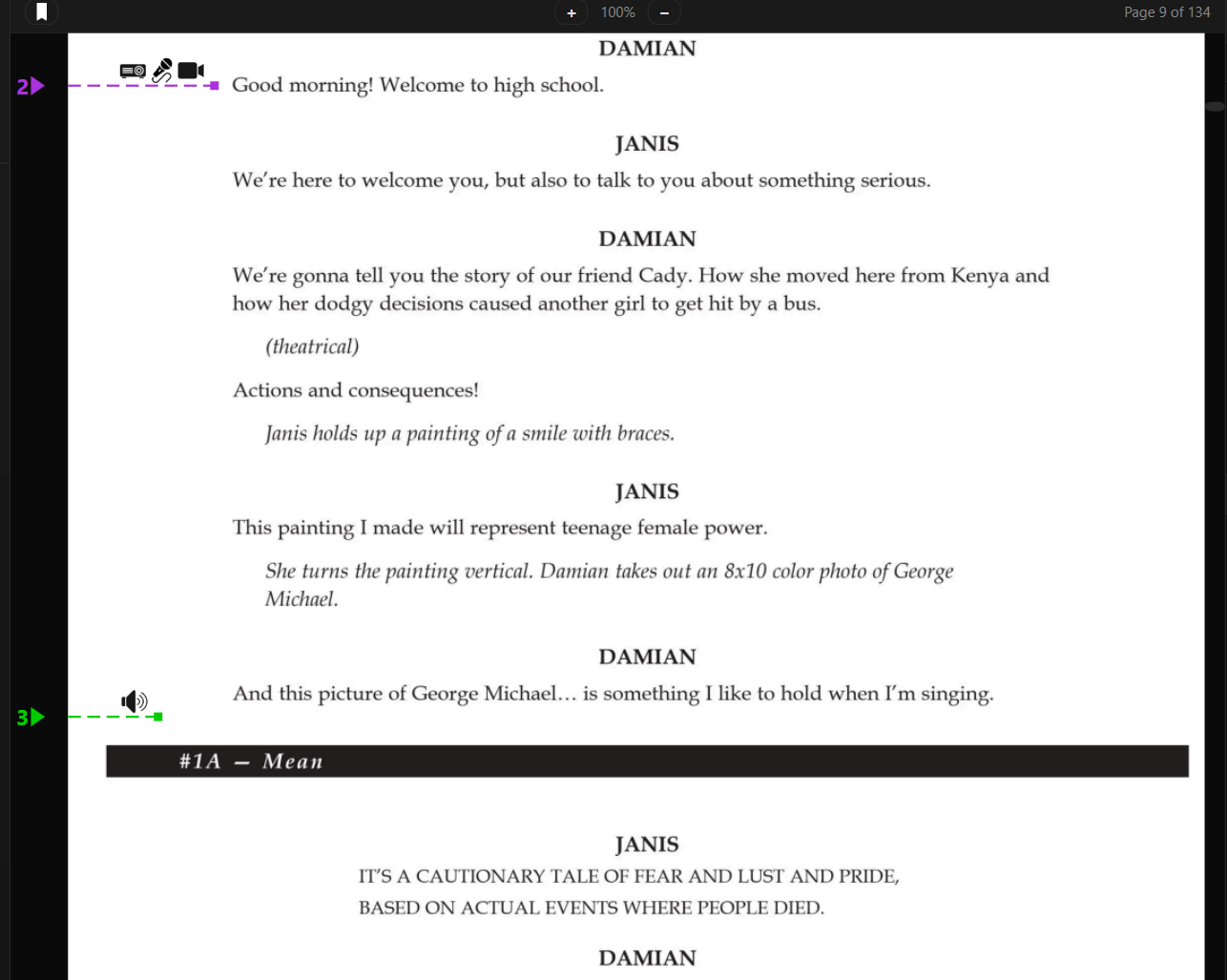
CueDirector's script view puts cue placement exactly where it belongs — in the script itself. Click the moment you want a cue, and CueDirector handles the rest: adding it to the Cue List, assigning a number automatically, and marking the script so your operator always knows precisely when to advance. No separate paperwork, no cross-referencing.
Script View
Cue Indicators

See the cue action before you press go.

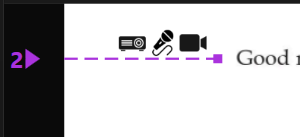
At a glance, your script tells the whole story. As soon as lights, audio, or video are added to a cue, the marker in the script updates to show exactly what's coming — so your operator always knows what's about to happen before they advance.

Cue Indicators
Dynamic Cues

Keep the cue list clean automatically.

Add a cue, remove a cue — the list renumbers itself automatically. No more fractional cue numbers, no more messy sequences that trip up your operator mid-show. CueDirector keeps your cue list clean, sequential, and exactly where it needs to be.

Informative Cue List

At a glance, you know exactly what's next.

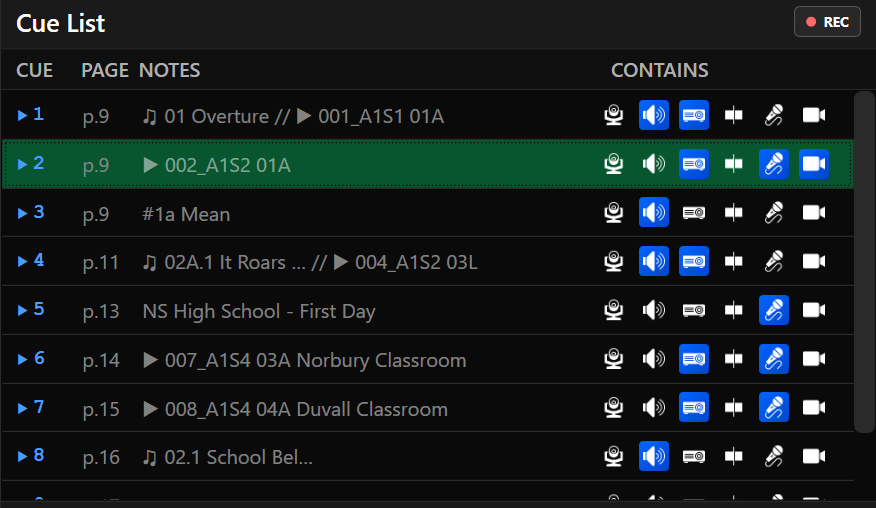
CueDirector's cue list puts everything the operator needs in one clean view. Page numbers show exactly where each cue lives in the script, notes keep important details close at hand, and audio and video assignments generate automatic notations so the operator always knows what music and video is coming. Action icons make the type of each cue readable at a glance — before the advance ever happens.

Informative Cue List
Instant Preview

Jump anywhere in rehearsal without rebuilding the world.

Jump to any cue and CueDirector instantly sets the scene — lights, audio, video — exactly as it should be at that moment in the script. Move forward, jump back, skip around freely. Rehearsals go where they need to go, without resetting everything by hand.

One Cue, Multiple Actions

Stack the whole moment into one cue.

CueDirector lets you stack lights, audio, video, timelines, mic control, and camera positions into a single cue — firing them all simultaneously with one advance. The moment an action is applied, the stage plot updates instantly to reflect every change.

One Cue, Multiple Actions
Real-Time Stage Plot

Your show state stays visible.

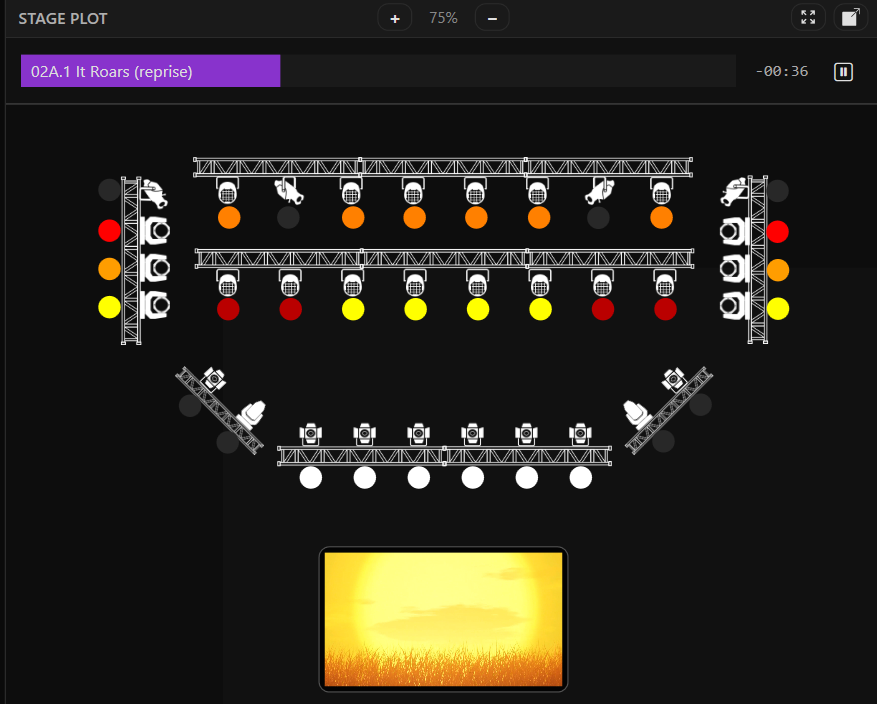
CueDirector's stage plot is a live window into your show. Every light, camera, screen, and mic change is reflected in real time — so what you see on the plot is exactly what's happening on stage at that moment.

Real-Time Stage Plot
Types of Actions

Lighting, sound, video, timing, mics, and cameras all behave like one system.

Lights

Build looks the same way you think about the stage.

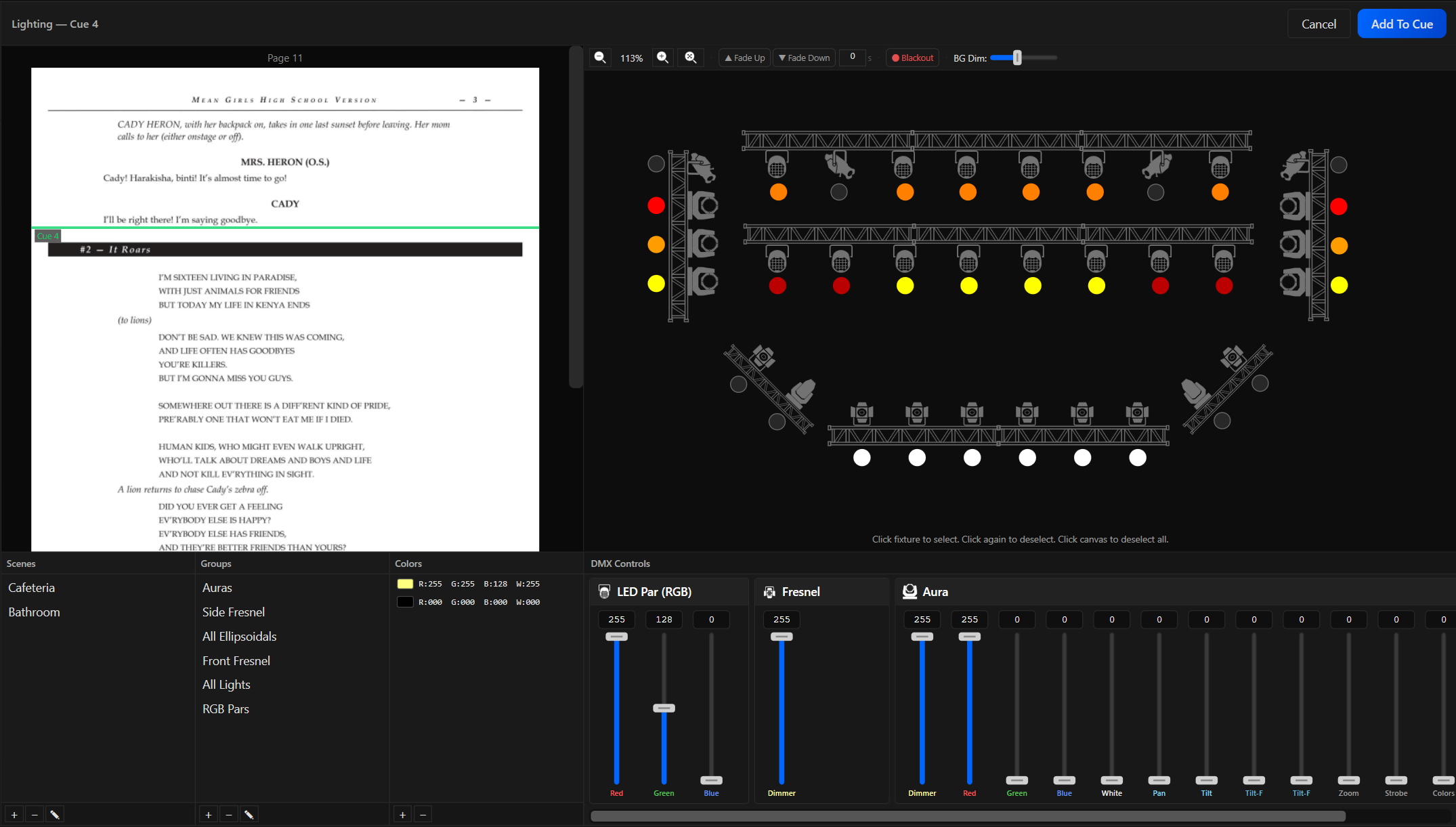
Control your lights the way you think about them. Click any fixture, adjust intensity, color, and position with intuitive controls, and see changes reflected on stage instantly. Save your looks as presets, then recall an entire scene — every fixture, perfectly set — with a single click.

Lights
Video / Images

Video control, right where it belongs.

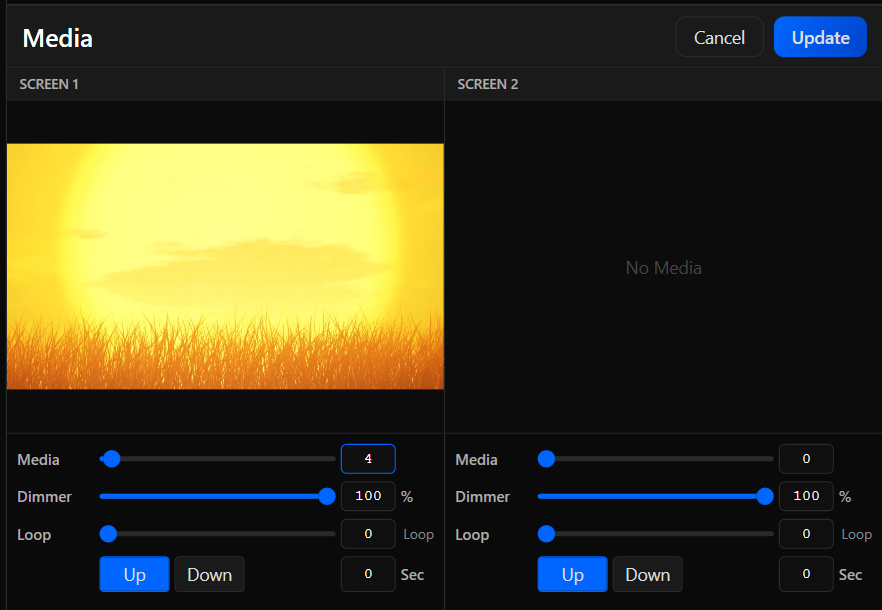
Drive multiple screens and projectors simultaneously in HD or 4K, over HDMI or NDI. Each display gets its own content, looped continuously or held on the last frame. During editing and playback, video appears live in the stage plot — and keeps playing uninterrupted as your cues advance.

Video and images
Audio

Add perfectly synced audio.

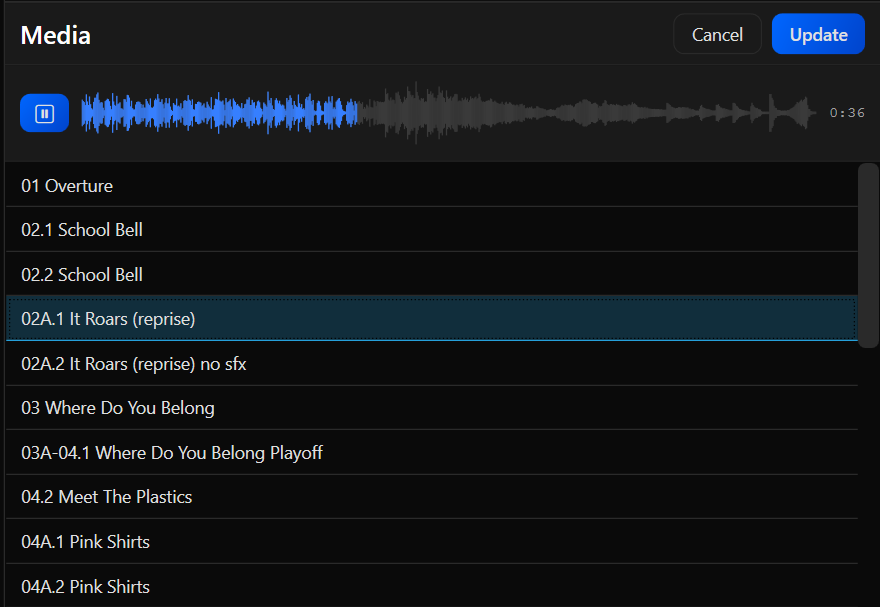
Adding audio to your show is as simple as a click. Browse your audio clips, preview before you commit, and apply with confidence. Once running, audio plays uninterrupted as your cues advance — keeping your show's soundtrack seamlessly in sync.

Audio
Timeline

The music leads. Everything else follows.

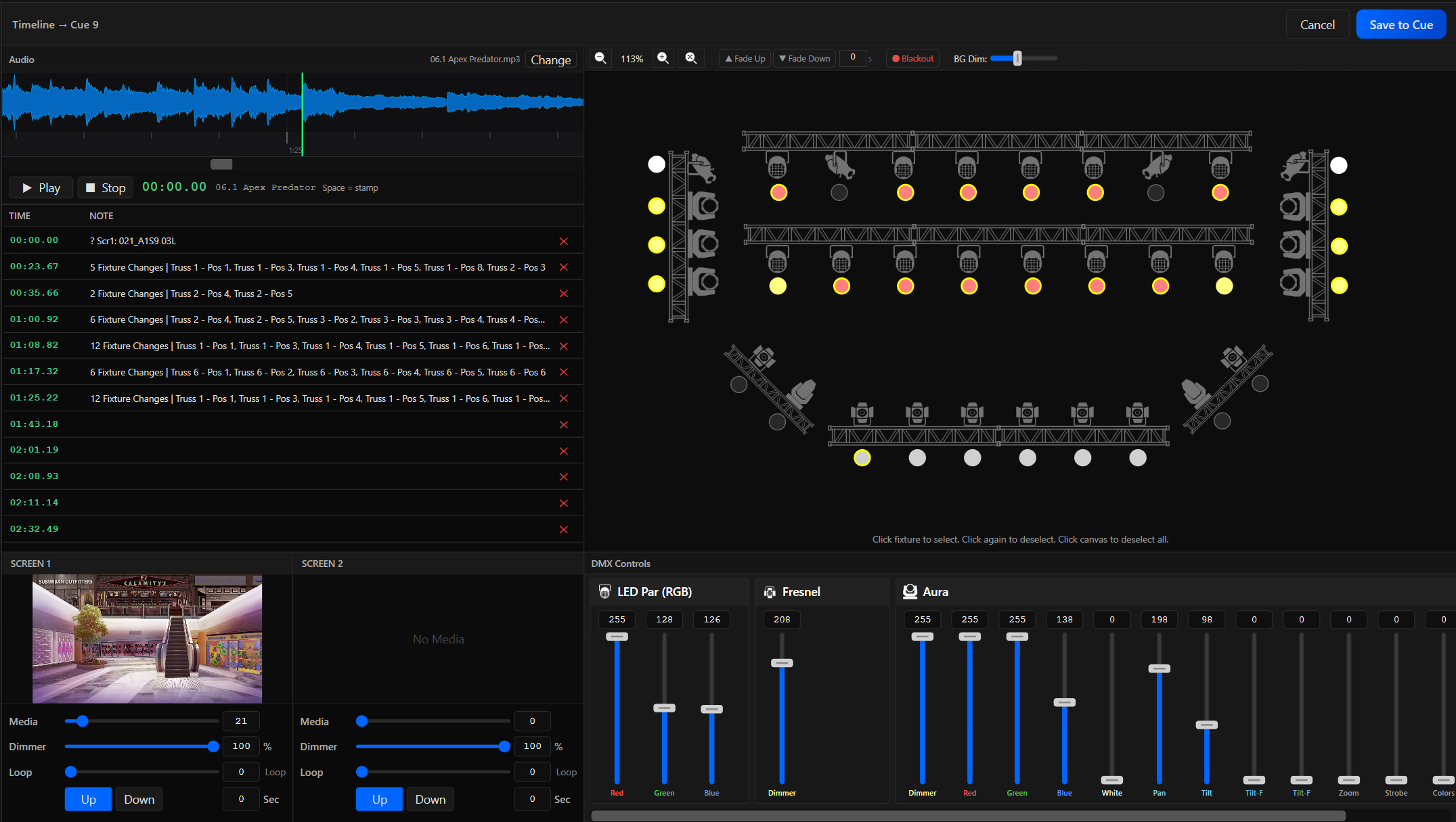
Place cue points along an audio timeline to trigger lights and video at exactly the right moment — then hit play and step back. During playback, every cue fires automatically, perfectly synchronized to the audio from first note to final beat.

Timeline
Mics

Stop missing microphone cues.

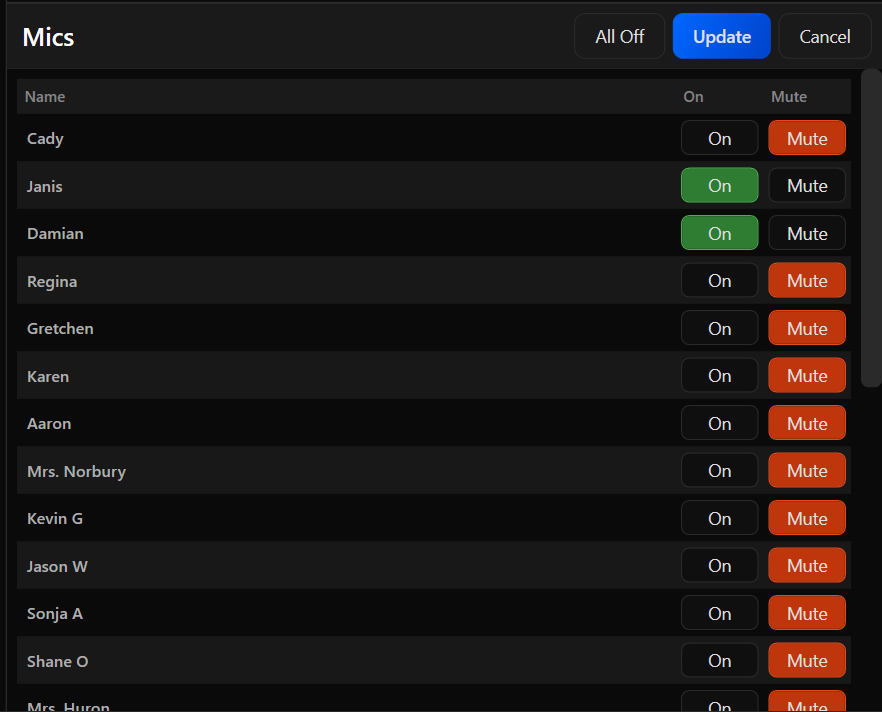
No more missed mic cues. CueDirector connects directly to Behringer and Midas soundboards, letting you open or mute actor microphones as part of your cue sequence — automatically, at exactly the right moment, every performance.

Mics
PTZ

Every shot, right on cue.

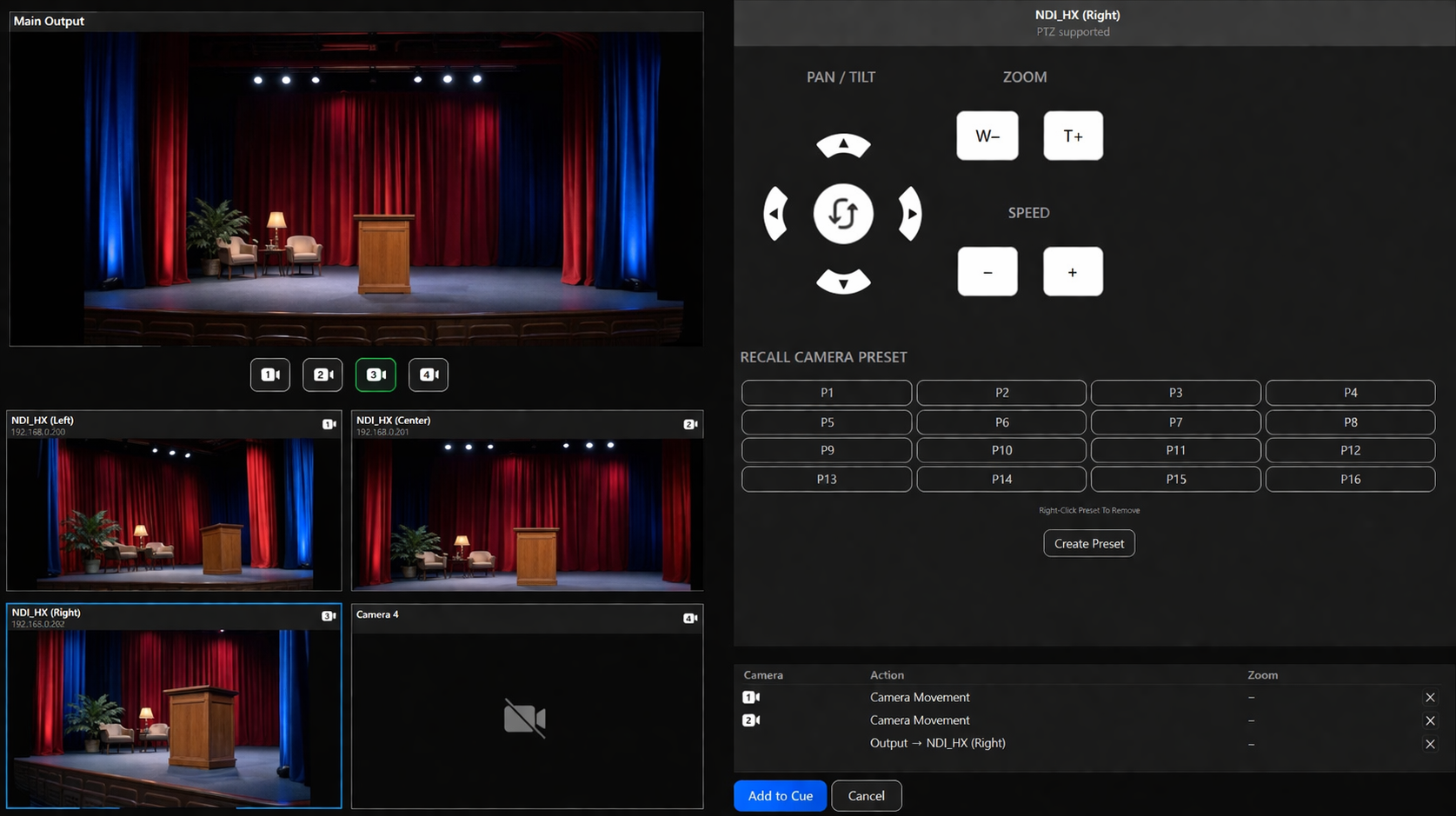
Control and record up to four PTZ cameras directly from your cue sequence — pan, tilt, zoom, and switch angles automatically via NDI or VISCA. It's like having a seasoned camera crew that hits the perfect shot every time, without a single operator behind the lens.

PTZ Cameras
Setup

Professional configuration without the technical complexities.

Build your stage plot visually. Patch fixtures with drag-and-drop. Configure cameras and soundboards in minutes, not hours.

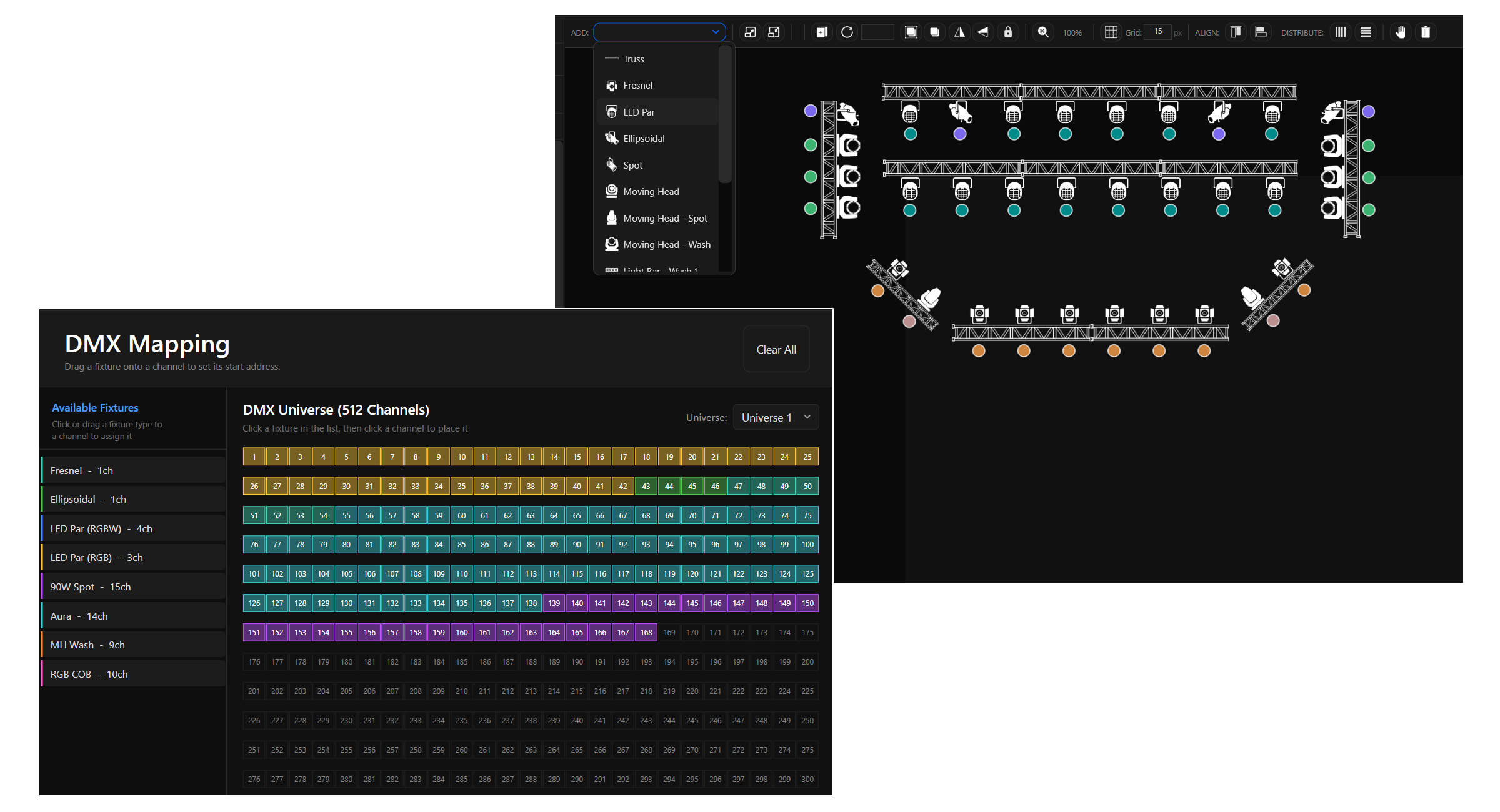
DMX + Stage Design

Build the stage visually, then patch it the same way.

Start with an image of your actual stage or build one with CueDirector's built-in designer. Choose from a library of fixture images, arrange your stage setup with intuitive layout tools, then click a mapped fixture from the list and place it exactly where it lives on stage. Your stage plot becomes a living map of your entire stage.

DMX patching in CueDirector is entirely visual. Select a fixture, click an open address, and watch it drop into place — color coded so your entire DMX map is clear at a glance. CueDirector supports up to 64 universes via ArtNet or sACN, or a single universe through an Enttec DMX USB Pro.

DMX and stage design

Fixtures

CueDirector comes with several built-in fixtures — and when you need something custom, building it is simple. From standard fixtures to one-of-a-kind setups, your lighting world is fully supported.

StagePlayer

CueDirector's StagePlayer streams video to multiple NDI decoders over a standard Ethernet cable — no special wiring, no flaky HDMI signal extenders. Drive your screens and projectors from a single connection, and route live camera feeds to auditorium TVs or a green room monitor, all from the same system.

NDI Setup

CueDirector puts every PTZ camera under one roof. Assign cameras to stage locations, set a home position for each, and drive them all simultaneously from a single cue. Need to switch shots on the fly during a recording? CueDirector handles that too — so every angle is captured perfectly, every performance.

Soundboard Integration

Bring the audio desk into the same show file. CueDirector talks directly to supported mixers so your operator is not juggling disconnected systems during rehearsal and performance.

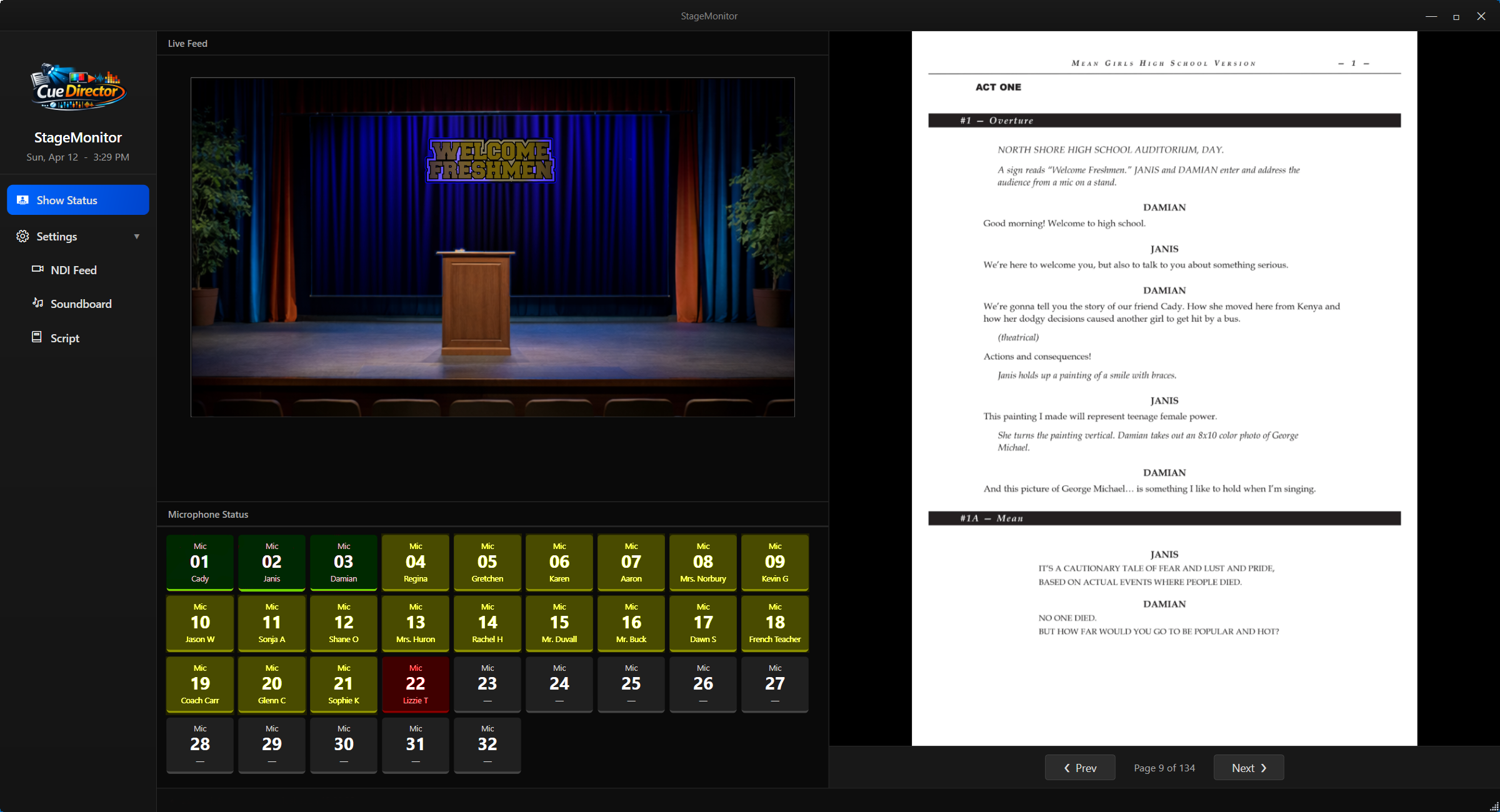
StageMonitor

The whole crew, always in sync.

StageMonitor

Real-time awareness for everyone backstage.

A great performance depends on everyone being on the same page — literally. StageMonitor is a free companion to CueDirector that gives your entire stage crew a unified, real-time view of the show as it unfolds — live PTZ camera feeds, the current script page, and the mic status of every actor on stage.

Whether you're calling cues from the booth or managing props in the wings, everyone sees exactly what's happening, exactly when it matters. No radios. No guessing. Just one screen that keeps the whole crew connected.

StageMonitor interface